

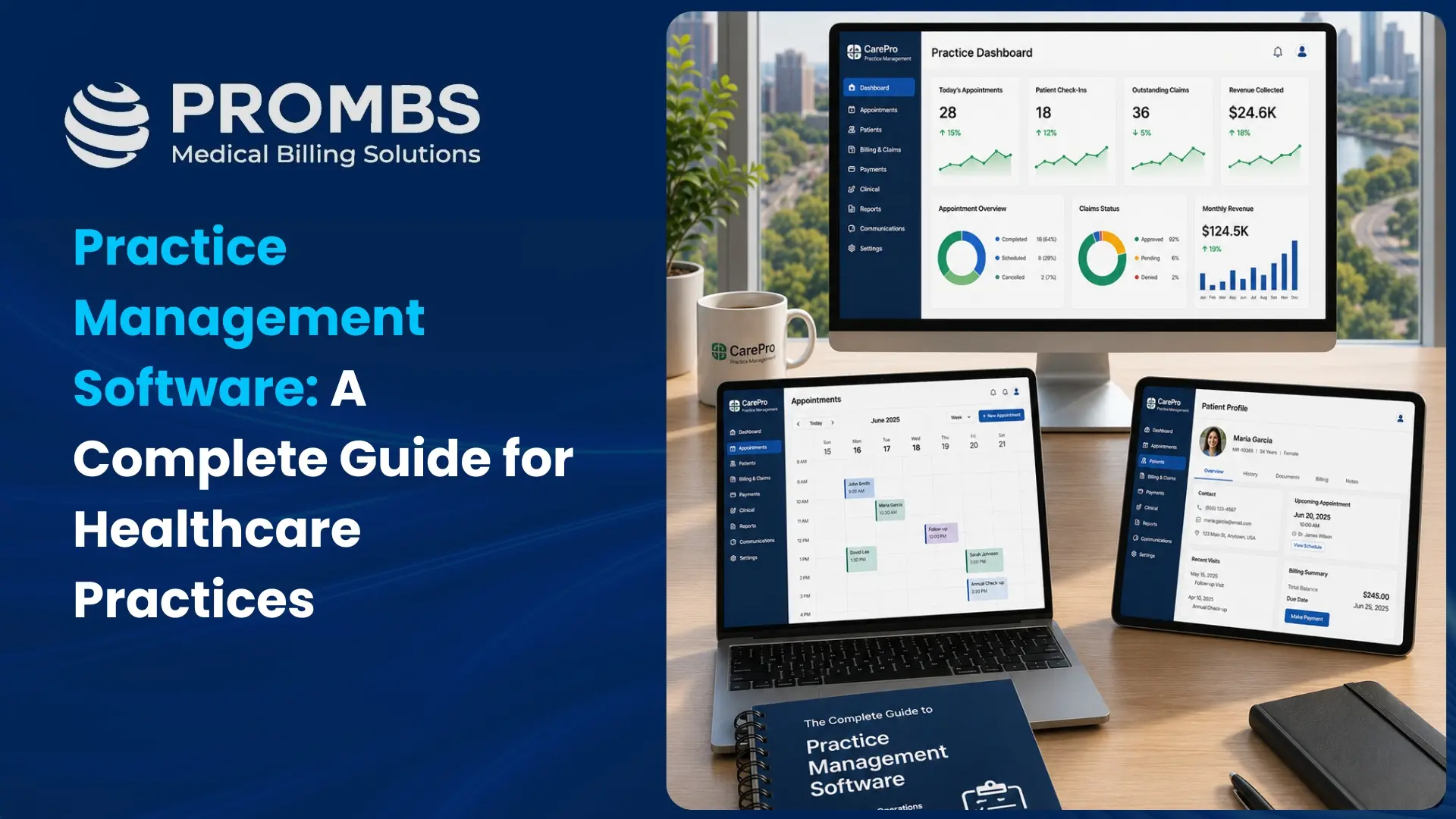
Introduction
In the increasingly expanding healthcare industry, effective and smooth management of Medical Billing practices is a vital factor shaping the experiences of patients and healthcare providers. In this fast-paced world of innovations, the adoption of Practice Management Software has emerged as a transformative force to facilitate healthcare providers, lighten administrative burdens, and improve operational efficiency.
This practice management software is vital to connecting the intricate web of clinical and administrative tasks, elevating the standard of patient care while simplifying the practice’s operations. In this blog, we will discuss important questions such as: What is the purpose of practice management software? What is a practice management system? How does practice management software improve office efficiency?
We will delve deeper into how these software tools streamlined and even revolutionized the healthcare landscape. In an era where data-informed decisions reign supreme, these valuable solutions offer you strategic insights from the industry’s trending perspectives to help you make informed decisions.
10 Most Important Features of Practice Management Software
Practice management is an important aspect of any practice, whether you have a small physician practice or a large medical center. It ensures incredible transparency and coordination in the administrative and clinical tasks to ensure your practice has an uninterrupted workflow.
Here are the top 10 features that you should take into consideration when you shortlist a physician practice management for your healthcare practice.
Appointment Scheduling
One of the important features of practice management software is appointment scheduling. Through this feature, staff can efficiently schedule patient appointments, taking into account the availability of the physician and according to the types of appointments. It reduces waiting times, doubles booking, and enhances patient satisfaction.
Patient Information Management
The core function of a practice management system in healthcare is to manage patient information. It organizes and stores patient medical history, demographics, and insurance information. Healthcare providers and staff have easy access to this data, improving patients’ care by having a comprehensive detail of their medical history.
Billing and Invoicing
Effective Billing and invoicing are crucial for the financial health of your practice. Practice management software helps you in multiple ways such as enabling billing, generating invoices, and processing insurance claims efficiently. This feature speeds up reimbursement and reduces billing errors, resulting in improved revenue management.
Electronic Health Records (EHR) Integration
Best practice management software is often supported by electronic healthcare records that allow healthcare providers to get seamless access to patient medical records. Providers have access to view and update patient records, leading to coordinated care and informed decision-making among healthcare providers.
Reporting and Analytics
The practice management system provides detailed reporting and analytic tools. These features offer valuable insights into the performance of the practice, including revenue, patient volume, and operational efficiency. Access to data-driven insights enables providers to make informed decisions and improve the overall performance of the practice.
Patient Portal
The patient portal is an important feature to enhance patient engagement and convenience. It works as a medium for patients to have access to their medical records, ask for prescription refills, view test results, and communicate securely with their healthcare providers. This feature contributes to enhancing patient satisfaction and encourages patient participation in their healthcare process.
Claims Management
Efficient claims management is essential for healthcare providers. Physician practice management software helps make your claims submission procedure transparent and track your billing process. It submits claims, verifies insurance eligibility, and tracks claims statuses. Practice management software features accelerate payment, reduce claim denials, and ensure that practices get reimbursed promptly.
Inventory Management
Inventory management is imperative for a healthcare practice that dispenses medications, durable medical equipment, or medical supplies. This feature reorders supplies as needed, tracks inventory levels, and manages stock efficiently, preventing shortages and reducing costs.
Secure Communication
Data security and patient confidentiality are essential in the healthcare industry. The practice management system provides safe communication channels by sharing patient-related information among staff, ensuring that all communications are compliant with privacy regulations like HIPAA.
Customization and Scalability
A good physician practice management system should be scalable and customizable. Healthcare practices come in different specialties and sizes, so the software should be adaptable to your specific needs. The customization option allows providers to tailor the system to their workflows, while scalability ensures that software can grow as the practice expands.
Final Thought
Given the discussion we had above, there is no denying the fact that practice management software is inevitable for the healthcare practice that is determined to achieve long-term sustainable revenue growth for the practice. It ensures operational efficiency, and financial stability and enhances patient care. At the same time, it is essential to consider a few factors when choosing practice management software for your practice which include your budget, unique needs, and future growth plans. The selection of the right software can drastically change your practice’s efficiency, revenue, and overall quality of care.
It offers you multi-faceted benefits such as appointment scheduling, secure information channels, fostering patient engagement, and streamlining practice operations.
FAQs
What are practice management programs?
Practice management programs are software solutions that are specifically designed to streamline the administrative and operational aspects of running a practice, such as scheduling, billing, patient management, and record-keeping. They help improve the operational efficiency of a healthcare facility.
Briefly explain cloud practice management software.
Cloud practice management software is a web-based solution that allows healthcare providers to manage their practices remotely. It offers features like appointment scheduling, billing, and patient records, all accessible via the Internet. This software enhances flexibility, collaboration, and data security while reducing the need for on-premises infrastructure.
What are some main applications included in practice management software?
Main applications in practice management software typically include:
Appointment Scheduling: Manage and book patient appointments.
Billing and Invoicing: Handle billing, payments, and insurance claims.
Patient Records Management: Store and access patient information securely.
Reporting and Analytics: Generate reports for financial and operational insights.
Telemedicine: Facilitate virtual consultations with patients.
Communication Tools: Enable secure messaging between staff and patients.
These applications help streamline operations and improve patient care.
What are practice management systems?
Practice management systems are comprehensive software solutions that automate and streamline the administrative tasks of a healthcare practice. Defined as practice management software, these systems typically include features like appointment scheduling, billing, patient record management, and reporting, helping providers enhance efficiency and improve patient care.
How does practice management software enhance patient engagement and communication in healthcare settings?
Practice management software enhances patient engagement by providing features like automated appointment reminders, secure messaging, and patient portals, allowing patients to access their records and communicate with healthcare providers easily.
What key factors should practices consider when selecting the right practice management software for their needs?
Practices should consider factors such as ease of use, integration capabilities with existing systems, scalability, customer support, compliance with regulations, and specific features that cater to their specialty and workflow needs.
How does Pro Medical Billing Solutions ensure effective management of practice management software?
Pro Medical Billing Solutions combines expert knowledge with tailored strategies to maximize the efficiency of practice management software. Our skilled professionals streamline workflows, enhance billing accuracy, and provide insightful analytics, allowing healthcare providers to focus on delivering exceptional patient care while we optimize their operational processes.