

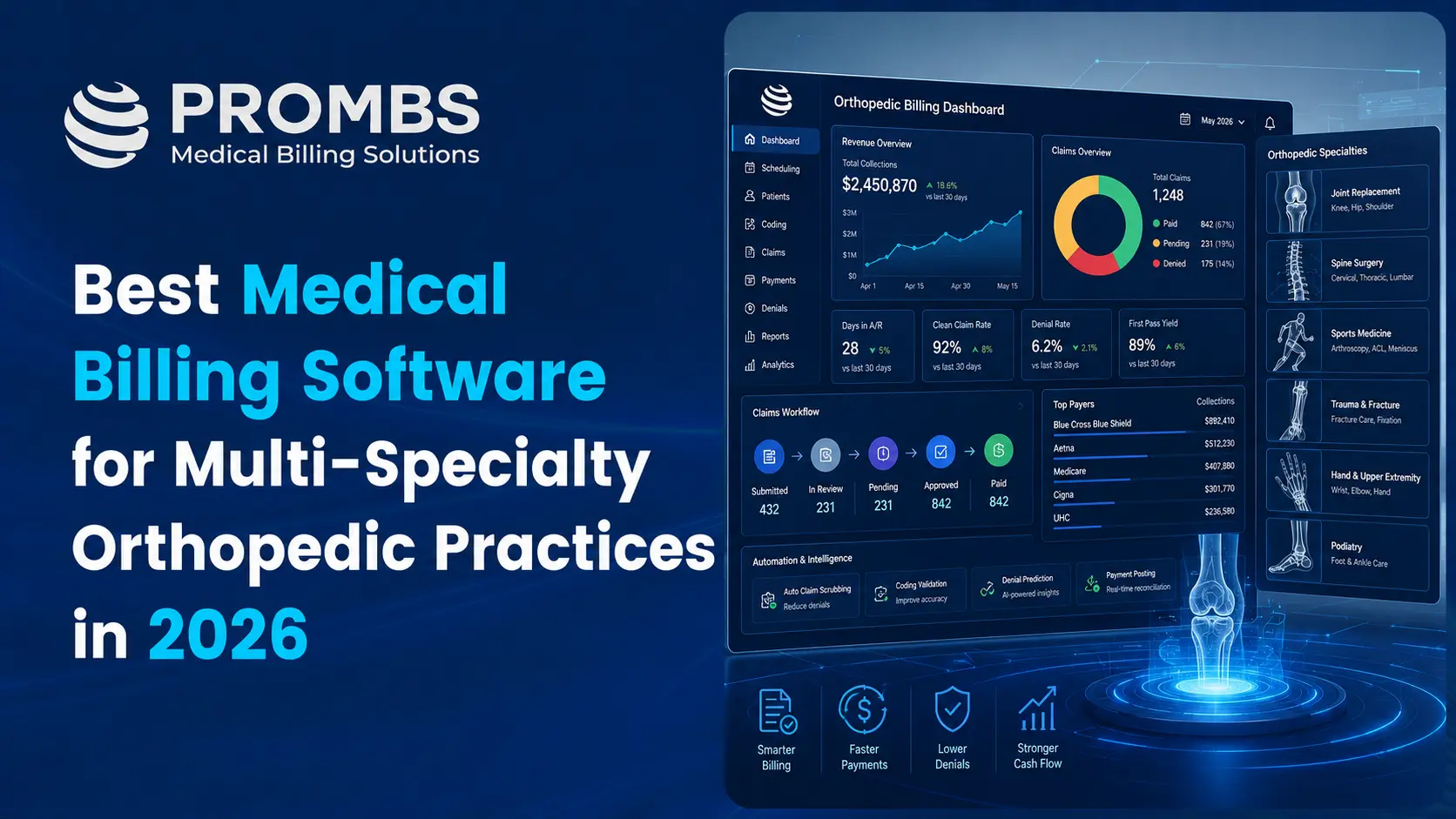
If you run a multi-location or multi-specialty orthopedic group, you already know that “billing software” and “orthopedic billing software” are not the same thing. A general system can print a claim form. It cannot tell you why your spine surgeon’s bilateral procedure got bundled into a single payment, why your sports medicine location in one state is getting paid differently than your joint replacement center two towns over, or why the same CPT code is producing three different reimbursement outcomes depending on which provider, which location, and which payer submitted it.
Most of the content ranking for this topic right now falls into two buckets. Either it is a vendor page written to sell one specific product, so it never tells you what that product is bad at, or it is a generic “top 10” list that reads like it was copied from a spec sheet, with no real explanation of what actually breaks in a multi-provider orthopedic group. Neither approach answers the question a practice administrator or billing manager actually has, which is: what does software need to do, specifically, when you are running orthopedics across multiple locations, multiple subspecialties, and multiple provider types, and how do you tell the difference between a platform that can handle that and one that only looks like it can?
This guide is built to close that gap. We will walk through what “multi” orthopedic billing actually involves, the features that matter and why, the coding realities that trip up general-purpose software, and a practical framework for evaluating vendors so you are not relying on a sales demo to make the decision for you.
What "Multi" Orthopedic Billing Actually Means
The word “multi” gets used loosely, so it is worth being precise about it because it changes what your software needs to do.
Multi-location means your group operates out of more than one physical site, sometimes across county or state lines, often with a mix of clinic visits, ambulatory surgery center (ASC) procedures, and hospital-based surgeries. Each location may have its own scheduling calendar, its own front desk staff, and sometimes its own payer contracts, even under one tax ID.
Multi-specialty means your providers cover different orthopedic subspecialties under one roof, such as spine, sports medicine, joint replacement, hand and upper extremity, foot and ankle, and pediatric orthopedics. Each of these subspecialties has its own coding patterns, its own common denial reasons, and its own documentation requirements. A biller who is excellent at spine fusion claims can still miss something on a pediatric fracture claim if the software does not surface the right edits.
Multi-provider means you have a mix of MDs, DOs, physician assistants, and nurse practitioners, sometimes billing incident-to, sometimes billing independently, sometimes acting as assistant surgeons for each other. Every one of those relationships changes how a claim needs to be coded and who it needs to be attributed to.
A practice that is any combination of these three is not a “small orthopedic office” anymore from a billing standpoint. It is closer to a mini health system, and the software needs to be built for that scale, not stretched to fit it.
Why General Practice Management Software Falls Short
Most all-purpose medical billing platforms were designed to be flexible enough for internal medicine, primary care, or a mixed specialty group. That flexibility is exactly the problem for orthopedics. Here is where it typically breaks down for multi-location, multi-specialty groups.
Modifier logic is generic instead of orthopedic-specific
Orthopedic claims live and die by modifiers. Bilateral procedures need modifier 50 applied correctly. Staged or related procedures during a global period need modifier 58. Unrelated procedures during a global period need modifier 79. Assistant surgeons need modifier 80, 81, or 82 depending on who assisted. A general system will let you type any modifier into any field. It will not tell you that you are about to submit a claim that payers reject nine times out of ten because the modifier does not match the documentation pattern for that procedure.
Implant and device tracking is an afterthought
Joint replacements, spinal hardware, and trauma fixation devices all involve HCPCS Level II codes and, in ASC settings, pass-through payment rules that are easy to miss. If your software cannot track implant cost against reimbursement by location, you will not know which sites are actually profitable on implant-heavy cases until months after the fact.
Cross-location reporting is either missing or requires manual exports
If your billing team has to log into five different views or export five different spreadsheets to see denial rates, days in A/R, or collection percentage across your locations, you do not have real reporting. You have a filing system.
Credentialing and payer enrollment are treated as one-time setup instead of ongoing maintenance
In a multi-location group, providers are constantly being added to new locations, new payer panels, and sometimes new state licenses. Software that does not actively track enrollment status by provider and by location will let claims go out under a provider who is not yet credentialed at that site, which is one of the most common and most preventable reasons for a wave of denials.
Workers' compensation and personal injury workflows are not built in
Orthopedics sees a disproportionate share of work comp and PI claims compared to most specialties. These claims follow entirely different rules than commercial insurance, including different fee schedules, different documentation requirements, and often paper-based or portal-based submission instead of standard clearinghouse routing. A platform without dedicated work comp and PI handling forces your staff into manual workarounds for a meaningful chunk of your revenue.
If a piece of software struggles with even two or three of these, it is not going to hold up once you scale it across multiple locations and subspecialties, no matter how clean the interface looks in a demo.
Tired of denials eating into your orthopedic revenue?
Whether you're running one location or ten, Prombs' orthopedic billing specialists know the modifiers, the payer quirks, and the coding edge cases that generic software misses. Get a free revenue audit and see exactly where your practice is leaving money on the table.
The Features That Actually Matter for Multi-Specialty Orthopedic Groups
Instead of ranking specific brand names, which change pricing and features constantly and which vary based on your exact mix of locations and specialties, it is more useful to know exactly what to look for. Here is the checklist that actually predicts whether a platform will work for a multi-location orthopedic group.
1. Specialty-specific claim scrubbing with orthopedic edit sets
The system should check every claim against orthopedic-relevant edits before submission, including National Correct Coding Initiative (NCCI) pairs common in musculoskeletal procedures, global period conflicts, and modifier-to-procedure logic. This is different from generic HIPAA-level claim scrubbing that only checks whether a field is filled in correctly.
2. Centralized, location-aware reporting
You should be able to pull one dashboard that breaks down collections, denial rate, and days in A/R by location and by provider, without exporting anything. Practices that figure out how to automate multi-specialty reporting stop losing hours every week to manual spreadsheet merges. If a report requires that kind of merge, that report does not exist when your billing manager is trying to make a decision on Tuesday morning.
3. Real implant and device cost tracking
The software should let you tag implant costs to a claim and compare that against actual reimbursement, ideally by payer and by site of service, since ASC and hospital outpatient reimbursement for the same implant can differ substantially.
4. Built-in eligibility and prior authorization tracking
Orthopedic procedures, especially spine and joint replacement, frequently require prior authorization. Good software will flag when a scheduled procedure lacks an approved authorization before the patient is even in the building, which is really an extension of how well the practice can automate patient eligibility verification at the front desk in the first place.
5. Workers' comp and PI claim workflows
Look for dedicated fields for adjuster information, attorney liens, case status, and the ability to hold or delay a claim without it silently aging past its filing deadline.
6. Credentialing status visibility tied to claim submission
The platform should be able to warn your team, or block submission outright, if a provider is not yet enrolled with a payer at a given location. This kind of proactive check saves far more time than cleaning up a denial after the fact, which ties directly into how tightly your practice connects its credentialing to claims workflow.
7. Global period tracking that spans providers and locations
If a patient sees a different provider in your group during a global period, whether for a related or unrelated issue, the system needs to know that and apply the correct modifier automatically, or at minimum flag it for review.
8. EHR interoperability without duplicate data entry
Whatever clinical documentation system your surgeons use, the billing platform needs a real integration, not a manual re-entry process. This is where a lot of “all-in-one” claims fall apart in practice, and it is worth understanding how PMS and EHR integration actually works technically before you evaluate vendors.
9. Denial analytics that show root cause, not just denial count
Knowing you have 200 denials this month is not useful on its own. You need to know that 60 of them are missing modifier 59, 40 are eligibility failures, and 30 are timely filing issues at one specific location, so your team can fix the actual problem instead of reworking the same mistake every month. Groups managing several subspecialties under one roof get the most value out of dedicated denial management tactics for multi-specialty practices rather than a one-size-fits-all denial workflow.
10. Transparent, scalable pricing
Per-provider pricing that does not spike unpredictably as you add locations, and clear answers about what counts as an “additional module” versus what is included.
If a vendor cannot speak clearly to all ten of these, or dodges the question with generic language about being “fully customizable,” that is worth noting as a warning sign rather than a selling point.
The Coding Complexity Most Guides Skip
This is the part that separates a genuinely useful comparison from a marketing page, so it is worth spending real time on it.
Bilateral and staged procedures
A bilateral total knee replacement is not simply billed twice. Depending on payer policy, it may need modifier 50 with a single line and a percentage adjustment, or it may need two separate lines with RT and LT modifiers, and different payers genuinely disagree on which they want. Software that does not stay current with NCCI edits and MUE updates will hardcode one approach across all payers and generate denials the moment you bill a payer that wants the other format.
Assistant surgeon rules
Orthopedic surgeries, especially spine and complex trauma, frequently involve an assistant surgeon. Modifier 80 applies to a fully qualified assistant, 82 applies when a qualified resident was not available, and payer-specific rules determine whether a PA or NP assisting gets modifier AS instead. Getting this wrong is one of the fastest ways to have an entire surgical claim denied, not just reduced.
Global period interactions across a group
Most major orthopedic procedures carry a 90-day global period. If a patient returns to any provider in your group, even at a different location, for something related to that surgery, it needs modifier 58, 78, or 79 depending on the situation, or it should not be billed separately at all. Multi-location groups get this wrong constantly because the returning visit happens at a site that does not automatically know about the original surgery.
Implant HCPCS coding in ASC settings
High-cost orthopedic implants such as spinal hardware often qualify for pass-through payment under specific revenue codes when billed through an ASC facility claim, separate from the physician’s professional claim. Missing or mismatched HCPCS codes here is a leading cause of implant-related underpayment, and getting this right depends on how well your practice can streamline ambulatory surgical center billing in the first place, since facility and professional claims for the same surgery move through different rules entirely.
ICD-10 specificity for musculoskeletal conditions
Orthopedic ICD-10 codes require laterality, encounter type, and often a seventh character for fracture care. A claim coded without that level of specificity will trigger a CO-11 diagnosis-to-procedure mismatch denial for medical necessity even if every CPT code and modifier on it is correct.
Any software you evaluate should be tested, not just described, against these exact scenarios. Ask the vendor to walk you through how their system handles a bilateral knee replacement claim for two different payers, and watch how confidently and specifically they answer.
In-House Software vs Outsourced Orthopedic RCM
For multi-location groups, this decision usually comes down to three factors: the size of your internal billing team, how many subspecialties you cover, and how much time your administrators want to spend managing software instead of managing patient care.
An in-house platform makes sense when you have a strong, experienced billing team that already understands orthopedic coding deeply and simply needs better tools to execute faster. You retain full control over workflow, but you also carry the full responsibility for keeping up with payer policy changes, software updates, and staff training across every location.
Outsourced orthopedic revenue cycle management makes sense when your practice is growing faster than your internal billing capacity, when you are adding locations or subspecialties and do not want to rebuild your billing process from scratch each time, or when denial rates are already climbing and you need specialty-trained coders rather than general staff learning orthopedic rules on the job. Weighing outsourced medical billing against an in-house team usually comes down to whether your current staff can keep pace with growth without burning out. The tradeoff of outsourcing is less day-to-day control, so vendor transparency and reporting quality matter even more in this model than in an in-house setup, especially once your RCM process spans multiple specialties and needs to stay consistent across every one of them.
Some groups land on a hybrid approach, keeping front-desk verification and scheduling in-house while outsourcing coding, claims submission, and denial management to a specialty-focused partner. This tends to work well for practices that are scaling quickly across locations, since it lets internal staff focus on patient-facing work while claims are handled by people who do orthopedic coding every day. If you are weighing this option, it is worth reading a broader breakdown of what a full orthopedic medical billing workflow should look like end to end before deciding what to keep in-house and what to hand off.
Not sure if you need software, outsourced billing, or both?
Prombs works with multi-location and multi-specialty orthopedic groups to build a revenue cycle that actually fits how you operate, from credentialing through final payment. No cookie-cutter setup, no guesswork.
How to Evaluate a Vendor Without Getting Sold a Demo
A sales demo is designed to show you the best-case scenario. Here is how to get past that and see how the software actually performs.
Ask for a live walkthrough using your own real claim scenarios, not the vendor’s canned examples. Bring an actual bilateral procedure, an actual work comp claim, and an actual claim involving a PA acting as assistant surgeon, and watch how the system handles each one.
Ask specifically how the platform handles multi-location reporting, and ask to see the actual dashboard, not a screenshot in a slide deck. If they cannot show it live, that is meaningful information on its own.
Ask what happens when a payer changes a policy mid-year. Some platforms push edit updates automatically and continuously. Others require a support ticket and a wait time, which can mean weeks of denials before the fix lands.
Ask for references from other multi-specialty orthopedic groups specifically, not general medical practices. A platform that works beautifully for a single-location family medicine office tells you very little about how it handles five locations and four orthopedic subspecialties.
Ask about implementation timeline and what happens to claims already in progress during the switch. A poorly planned transition can create a gap in cash flow that takes months to recover from, so this question matters as much as any feature comparison.
Finally, look closely at how the vendor talks about denial management. If their answer is entirely about “reducing denials,” that is only half the picture. You also want a partner who understands your multi-specialty group billing obligations under current CMS rules, since compliance requirements shift regularly and directly affect how claims across your subspecialties should be coded and reported.
Common Mistakes Multi-Location Orthopedic Groups Make When Choosing Software
Choosing based on price per provider alone
A cheaper platform that generates more denials will cost you far more in lost revenue and staff time than a slightly more expensive one that gets claims right the first time.
Assuming "cloud-based" means "built for orthopedics
“ Cloud accessibility is a baseline expectation in 2026, not a differentiator. The real question is whether the specialty logic underneath the interface understands orthopedic coding, not just whether you can log in from a tablet.
Not involving billing staff in the decision
Administrators sometimes choose software based on the clinical or scheduling features that impress providers, while the people who will spend eight hours a day inside the billing module never get a say. That almost always leads to a platform that looks good in a sales pitch and frustrates the team that has to use it daily.
Underestimating the data migration effort
Moving from a general practice management system to a specialty-focused one involves migrating patient records, claim history, and open A/R. Groups that treat this as a weekend project instead of a planned, phased rollout tend to lose track of open claims during the transition.
Ignoring credentialing until after go-live
If your new software depends on accurate provider-to-payer enrollment data and that data was never cleaned up during onboarding, you will start generating denials from day one for reasons that have nothing to do with the software itself.
Frequently Asked Questions
What makes the best orthopedic billing companies different from general medical billers?
Orthopedic billing software includes specialty-specific claim edits for modifiers like 50, 58, 59, and 78-82, tracks implant and device costs, supports global period logic across related procedures, and typically includes dedicated workflows for workers’ compensation and personal injury claims, which are far more common in orthopedics than in most other specialties.
Do I need different software for each orthopedic subspecialty, like spine versus sports medicine?
No. A platform built for multi-specialty orthopedic groups should handle the coding differences between subspecialties within a single system, as long as it includes orthopedic-specific edit sets and lets you configure templates by provider or department rather than requiring separate software for each service line.
Is outsourced orthopedic billing more expensive than software alone?
Outsourced revenue cycle management typically runs as a percentage of collections rather than a flat license fee, so the total cost depends heavily on your claim volume and current denial rate. For groups with high denial rates or thin internal billing staff, the collections recovered often outweigh the percentage fee.
How long does it take to switch billing software for a multi-location orthopedic group?
A well-planned transition usually takes eight to twelve weeks for a multi-location group, including data migration, staff training, and a period of running claims in parallel to catch issues before fully cutting over. Groups that rush this timeline tend to see a temporary spike in denials during the switch.
Can billing software prevent workers' compensation claim delays?
It can reduce them significantly by tracking authorization status, adjuster contact information, and filing deadlines in one place, but it cannot eliminate delays caused by the adjuster or insurer side of the process. The software’s job is to make sure your side of the claim is complete and submitted correctly the first time.
Final Thoughts
Choosing billing software for a multi-location or multi-specialty orthopedic group is not really a software decision first. It is a workflow decision that happens to be executed through software. The platforms that work well for groups like yours are the ones built around how orthopedic claims actually behave, with real modifier logic, real implant tracking, and real visibility across every location you operate, not a generic system with an orthopedic label added on top.
Before you sign anything, run your own real claims through a live demo, involve the billing staff who will use it every day, and ask direct questions about how the platform handles the exact coding scenarios that make orthopedics different from every other specialty. Get those answers right, and the software becomes a tool that protects your revenue instead of one more thing your team has to work around.